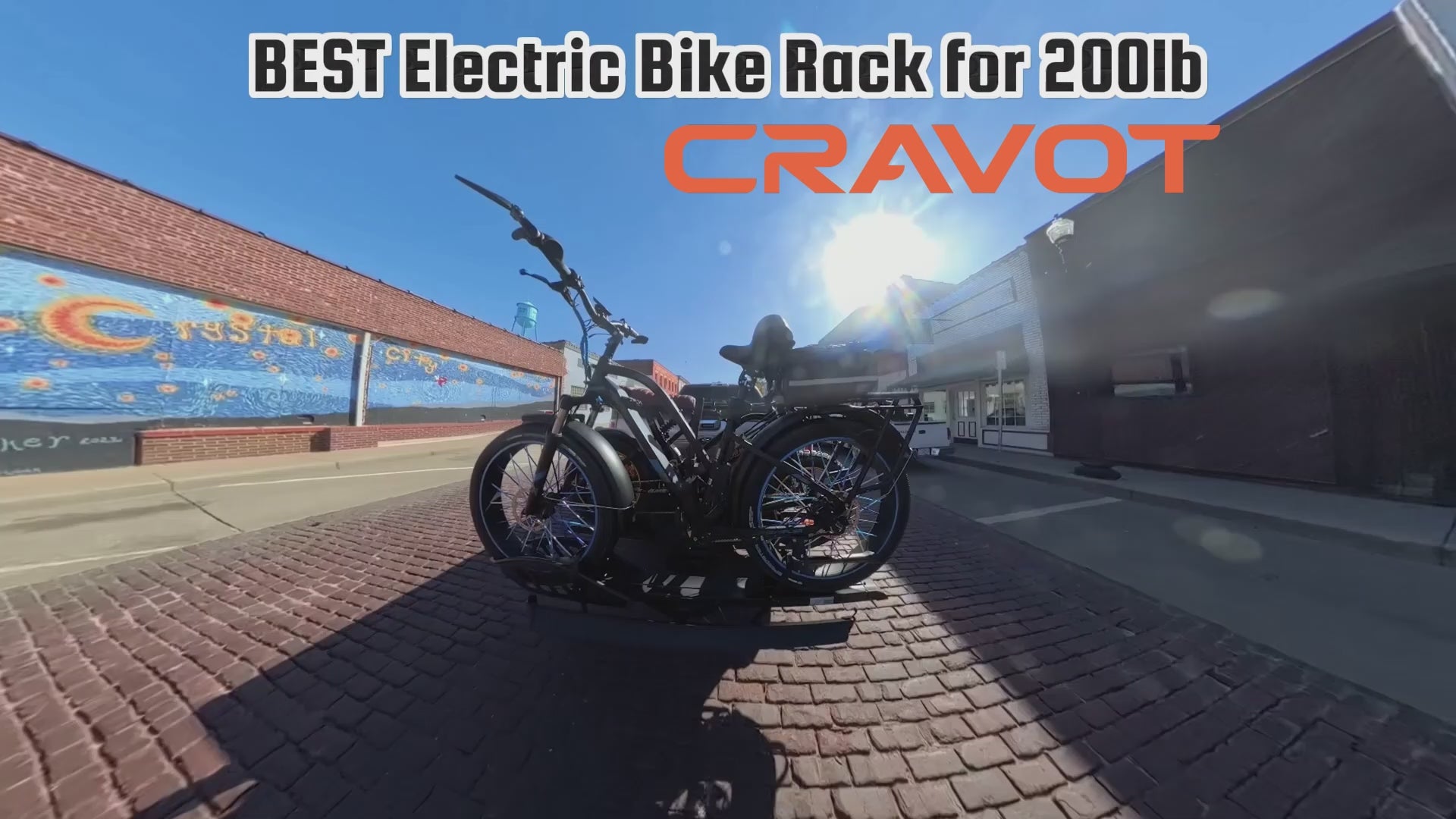


CRAVOT CyberRack E2 Hitch Bike Rack
Carry two bikes with a loading ramp. The CRAVOT CyberRack E2 carries up to two bicycles with a maximum combined bike load of 200 lb and uses a 2-inch hitch receiver. A loading ramp is included.
The two bikes may have different weights; place the heavier bike closest to the vehicle. Check bike dimensions, frame contact, and the vehicle and hitch ratings before ordering.
Not for RVs or bumper-mounted receivers. Follow the matching E2 user manual for assembly and transport preparation, including battery removal.
Need exact dimensions? View the complete CyberRack E2 specifications, including wheelbase, tire width, rack weight, and package details.
| Model Name | CyberRack E2 |
| Color | Black |
| Weight | 66.8 lbs |
| Material | Aluminum & Steel |
| Bike Capacity | 2 |
| Load Capacity | 200 lbs |
| Compatibility | For 2-inch hitch size only |
| Max Wheelbase | 52 inches |
| Max Tire Width | 5 inches |
| Foldable | Yes |
| Tiltable | No |
| Ramp Attached | Yes |
| Hitch Pin Lock | Yes |
| Package Weight | 79.4 lbs |
| Package Dimensions | 54.6 x 18.6 x 8.7 inches |
| Applicable Hitched Bike Types | Electric Bike / Regular Bike |
| Note | Not intended for use with mopeds, motorcycles, or 3-wheel bikes |
Next steps: View CyberRack E2 · Check full bike compatibility · Ask CRAVOT support
Recommended by Riders
Choose a video to see the CyberRack E2 in action


Secure the Wheels and Approved Frame Contact Points
Follow the E2 manual to secure both wheels and position the frame supports at the specified seat/middle-tube locations. Check that your bike manufacturer permits these contact points before loading. Correct fit and fastening matter for every trip.

An Included Ramp for Loading Two Bikes
The E2 includes a loading ramp and supports up to 200 lb of combined bike weight. The bikes may have different weights; place the heavier bike closest to the vehicle. Follow the matching manual to attach and remove the ramp.

Check Fit Before You Load
Measure your bikes, check wheel support and frame contact, and verify the vehicle and hitch load limits. A 2-inch receiver is required, but receiver size and total bike weight alone do not establish compatibility.

Prepare Your Bikes for Transport
Follow the matching E2 manual for battery removal, bike placement and fastening. Check all wheel straps, frame supports and hitch fasteners before driving. Use the installation guide on this page alongside the manual.


CYBERRACK E2 · FIT & LOADING GUIDE
Will the E2 fit your setup?
Carry up to two bikes with an included loading ramp. Check these limits, then review the fit and loading details for your bikes and vehicle.
- Bike capacity
- Up to 2 bicycles
- Combined bike load
- Up to 200 lb
- Hitch receiver
- 2-inch
- Maximum tire width
- 5 inches
- Maximum wheelbase
- 52 inches
- Loading ramp
- Included
Unequal bike weights are allowed. Place the heavier bike closest to the vehicle.
Tires 2.5 inches wide or narrower: use the extra hook-and-loop straps included in the package.
Not for RVs or bumper-mounted receivers. Check vehicle and hitch load limits, clearance and approved frame contact before ordering.
Fit & loading details
Check your vehicle, wheels and frame
- Check the vehicle and hitch load limits with both the rack and bikes included. Receiver size alone does not establish compatibility.
- Measure wheelbase between the front and rear axle centers. Both wheels must sit correctly in their supports and be secured with the specified straps.
- Confirm the seat/middle-tube contact positions shown in the E2 manual are permitted by your bike manufacturer. Do not assume compatibility for every carbon or step-through frame; top-tube contact is not recommended for carbon frames.
Prepare and secure your bikes
Remove the batteries as instructed in the matching E2 manual. Weigh the bikes with any accessories that will remain installed during transport.
For two bikes, 120 lb + 80 lb meets the combined load limit; place the 120 lb bike closest to the vehicle. A 130 lb + 80 lb load exceeds it. Dimensions and mounting requirements still apply; the two-bike total is not a stated single-bike limit.
Follow the manual for assembly and bike placement. Secure both wheels and the specified frame-contact points, then check all straps and fasteners before driving.
Setups the E2 is not designed for
Adapters, extenders, swing-away attachments and front-mounted hitches are not recommended. Do not use the E2 for recumbent bikes, tandems, trikes, scooters, mopeds or motorcycles.
Cargo bikes need an individual check of dimensions and basket placement. Do not load a bike if its wheels or approved frame-contact points cannot be secured as instructed.
Common questions
Is a loading ramp included?
Yes. Follow the matching E2 manual to attach, use and remove the ramp. Do not apply the ramp of X Series model to your rack.
How does the E2 compare with the E2 Plus or S2?
Read our E2 vs E2 Plus Classic vs S2 comparison, then check the selected version’s loading method, capacity and fit requirements on the E2 Plus and S2 pages. Specifications for E2, E2 (25), E2 Plus Classic and E2 Plus Evo are not interchangeable.
Where can I find installation and fit guidance?
Use the E2 user manual that matches your rack and the installation video on this page. For a broader buying check, see our e-bike rack compatibility checklist. Rider videos show individual experiences, not guaranteed fit for every setup.
Unsure about fit? Send support your bike model, measurements and hitch details before ordering.